Demo ID
11 / 11
Module
Facility
Category
Pre-Construction
Deploys in
2–6 wk
Stack
AI · 3D · BOM
Status
Live

Facility [Layout] Planner

AI pre-construction layout & cost planner for industrial buildings.

01CONCEPT-TO-LAYOUT TIME
−95%

Days of architect iteration compressed into a single browser session.

02LAYOUT VARIANTS
4× side-by-side

Balanced, Budget, Premium, and Modular variants generated in parallel.

03PRE-CONSTRUCTION COST CLARITY
<10 min

AI quantity surveyor delivers a BOM before the architect is engaged.

Book live walkthrough
// The before / after

From a 2-week architect iteration cycle to a costed 3D layout — same morning.

Concept-stage facility planning normally requires an architect, a quantity surveyor, and several revision cycles before a client sees something credible. The Facility Layout Planner runs the entire concept pipeline — footprint, zoning, layout, visualization, cost — in one session.

OLD WAY · ARCHITECT ITERATION2–4 weeks
01
Brief the architect
Send requirements; wait for a calendar slot and a concept turn.
3–5 days
02
Manual footprint + zoning sketches
CAD draft of building shape and zone allocation.
2–4 days
03
Quantity surveyor cost pass
BOM and pre-construction estimate from drawings.
3–5 days
04
Client review + revisions
Variant requests; back to step two with another cycle.
2–5 days
05
Final concept package
PDF, drawings, cost — assembled by hand for the client.
1–2 days
LAYOUT PLANNER · AI<30 min
01
Define footprint
Pick a preset shape or drag corners to match the site.
3 min
02
Set zones for the use case
Industrial preset loads Warehouse, Manufacturing, Loading Bay, Office, Restrooms.
5 min
03
Generate 4 layout variants + cost
Balanced, Budget, Premium, Modular — each with area, dimensions, and AI cost estimate.
90 sec
04
— no step four —
Compare variants side-by-side; flip between 2D and 3D in the same view.
∞ saved
05
— no step five —
Export PDF or share link; concept is in the client's inbox the same morning.
CONCEPT CYCLE
2–4 wk → <30 min
VARIANTS PER SESSION
1 → 4
BOM LEAD TIME
−90%
CLIENT-READY CONCEPTS / WEEK
3× more
// System dependencies

13 specialized modules. 3 integrations.
One workflow.

Facility Layout Planner is composed from ConTech Production Library — 150+ pre-built modules deployed in 2–6 weeks. The 13 below are the ones doing the work on this demo.

13
Modules in this demo
150+
Total library modules
2–6 wk
Deployment window
01Interactive Footprint Editor02Zone Requirement Builder03Use-Case Presets (Industrial / Office / Retail / Apartment)04AI Layout Generator05Variant Comparison (A / B / C / D)062D Floor Plan Viewer073D Building Viewer08Building Exterior Preview09AI Construction Cost Estimator10BOM / Cost Breakdown Generator11AI Quantity Surveyor Flow12PDF / Print-Ready Report Export13Share Link Flowand 137+ more
// How it works

From building requirements to a costed 3D layout in three steps.

Footprint, zoning, layout variants, 3D visualization, and an AI cost estimate — all in one browser session. No CAD, no quantity surveyor, no two-week wait.

01
Capture

Define footprint + zones

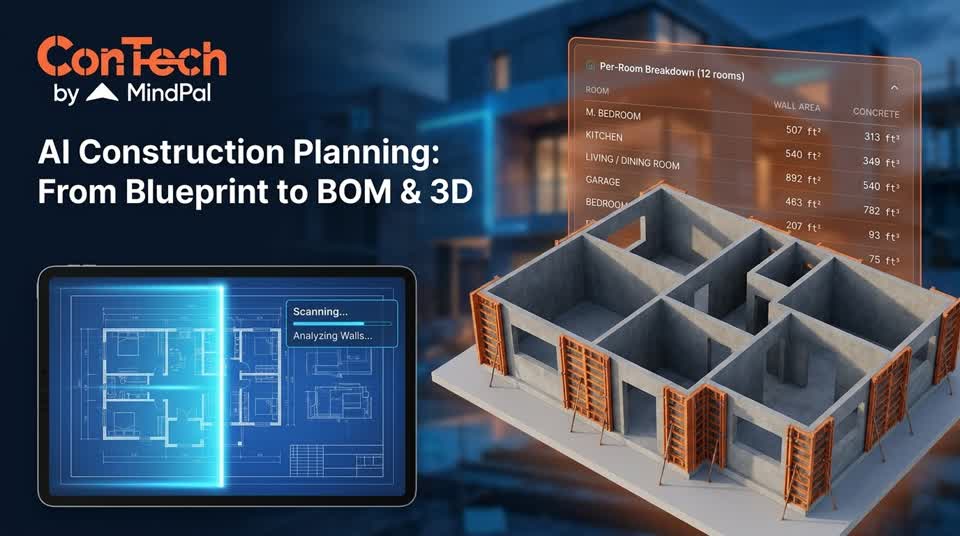
Pick a footprint shape (rectangle, L, U, T, square, irregular) or drag corners to match a real site constraint. Live calculation of area and dimensions. Choose the use-case preset — industrial, office, retail, apartment — and the relevant zones load automatically. For industrial: Warehouse, Manufacturing, Loading Bay, Office, Restrooms, each with manual sizing, manual dimensions, or auto-size mode.
02
Map

AI generates 4 layout variants

Balanced (A), Budget/Compact (B), Premium/Spacious (C), and Modular/Grid-Aligned (D) — produced side by side with zone placement, area, dimensions, and an estimated cost. Functional rules are baked in: loading and warehouse at the rear or with side access, manufacturing as a large zone adjacent to loading, lobby and reception at the front, utilities and server rooms in less exposed locations.

03
Send

Cost + report flow

Pick the preferred variant and the AI quantity surveyor produces a full BOM and cost breakdown: foundations, structure, cladding, windows, doors, roof, insulation, floors, electrical, plumbing, HVAC, earthworks, paving — plus industrial-specific items like roller doors and optional solar PV. Export as a PDF concept report or share link; the client receives a credible pre-construction package the same morning.

// Valuation impact

Pre-construction layout platforms create a defensible engagement layer for industrial developers and design-build contractors: every concept run through the planner generates footprint patterns, zoning preferences, and cost baselines that become a proprietary dataset of how clients actually plan facilities — a moat that compounds with usage.

Source · Industry benchmark — ConTech engagement data
Pre-construction concepting tools cut early-stage architect iteration cycles by more than 90%, with developers reporting client-ready facility concepts produced in a single morning versus a typical 2–4 week back-and-forth. Variant comparison at the concept stage reduces late-project rework by capturing zoning and cost trade-offs before any drawings are committed.
Pre-construction technology benchmark · 2025
// Next step

Compress your pre-construction cycle. Find out what it's worth.

Book a Strategic Valuation AuditSubscribe to the newsletter
30-min call · No slide deck · No cold sales
// Common questions

Questions about Facility Layout Planner.